
E-Safety
At Shawfield Primary School, children’s safety—both online and offline—is at the heart of our work. We teach children how to navigate the digital world with confidence, responsibility and respect, and we ensure that our systems, curriculum and culture all contribute to a safe online environment.
We are proud to have achieved the Cyber Essentials accreditation, demonstrating that our digital infrastructure meets nationally recognised standards for cyber security. This accreditation reflects our commitment to protecting children, staff and families through secure systems and robust technical controls.
The SMART Rules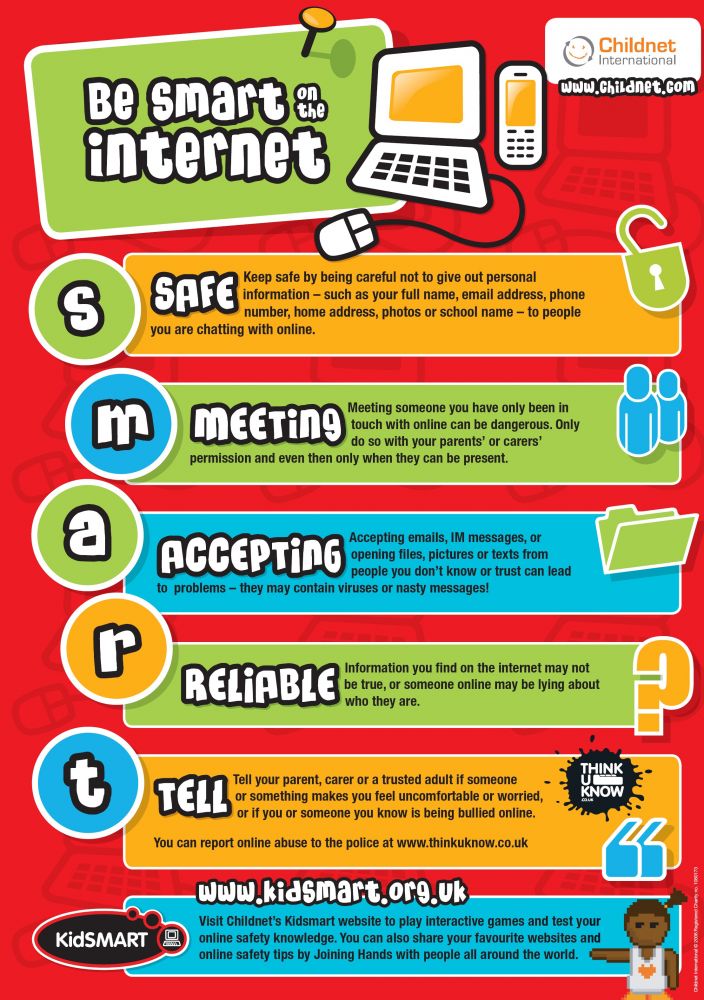
We encourage all children to follow the SMART rules, recommended by Childline International and Childnet. These simple principles help children remember how to stay safe when using the internet, apps, games and social media.
We encourage parents and carers to use these rules at home too. You can learn more through the “Know It All” resource below, where we have also included a copy of the SMART rules.
Working in Partnership With Families
Online safety is most effective when school and home work together. If you have concerns about your child’s online activity, or would like guidance on supporting them, we are always here to help. Our staff receive regular training so they can offer clear, practical advice and respond swiftly to any concerns.
We are committed to ensuring that every child feels safe, supported and confident in their use of technology.
Questions for Parents and Carers to Consider
Does my child:
-
Use the SMART rules?
-
Know where to go for help if they need it?
-
Know how to report bullying, threats or unwanted attention?
-
Use safe privacy settings on social networking sites?
-
Keep personal information private?
-
Understand what counts as personal information?
-
Know the difference between private and public online spaces?
-
Keep personal, intimate or embarrassing images and messages offline?
-
Understand that others may try to take personal information or images from them?
-
Know that what they post online can affect them later in life?
-
Understand that some adults use the internet in unsafe or inappropriate ways?
-
Maintain a healthy balance between screen time, sleep, exercise and face‑to‑face social interaction?
These questions can help families support safe and healthy digital habits at home.
Useful Information and Resources
-
Childnet 'Get Help': Get help for parents & carers | Childnet
-
CEOP Online (previously ThinkUKnow: Parents and carers | CEOP Education
-
NSPCC Online Safety Guidance: Keeping children safe online | NSPCC
We have also included a helpful factsheet offering advice on managing screen time and setting parental controls on a range of devices, which can be accessed using the links provided below. For